Overview profile calculation
With a click on the menu item “Profile calculation” you get into the module of the profile calculation.

The module is structured in 2 sections:
- Profile data
- Computation results with a graphic
Overview profile data
In the upper part of the module all profile data necessary for the profile calculation must be entered.
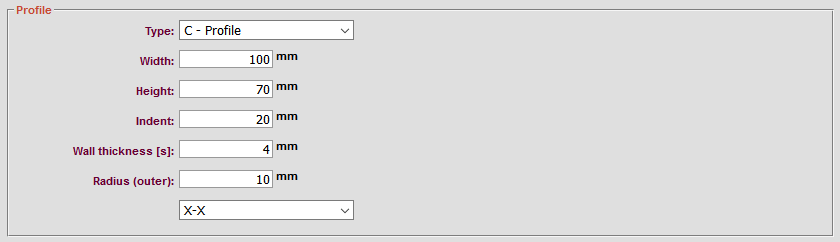
Profile type choice
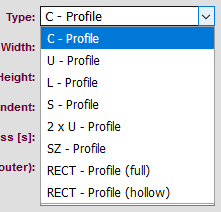
Indicate which profile type it is. The following types are available:
- C-Profile
- U-Profile
- L-Profile
- S-Profile
- 2xU-Profile
- SZ-Profile
- RECT-Profile (full)
- RECT-Profile (hollow)
Width, height, indent, wall thickness, radius (outer)
Enter the width, height, indent, wall thickness and the outer radius.
Note: All information is in mm.
Profile direction
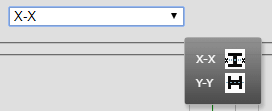
Here you can choose in which direction the profile should go. Either in
- X-X or
- Y-Y
direction.
Show results
When you have entered all the data, click on  have the results calculated.
Show results
When you have entered all the data, click on have the results calculated.
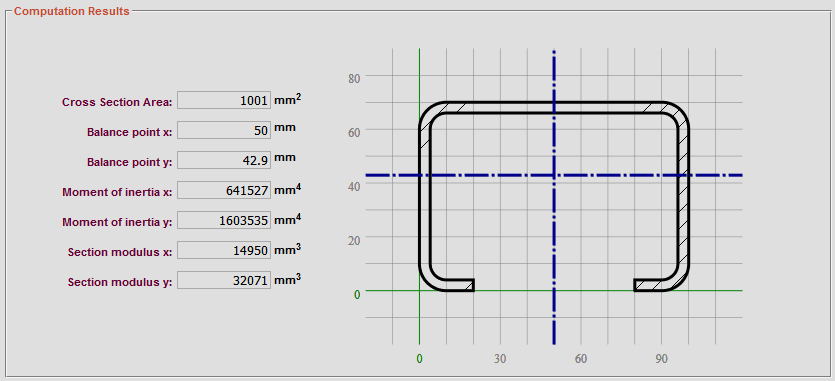
Now in the second part of the profile calculation module the results included a graphic appear. The following values are calculated:
- Cross section area
- Balance point x, y
- Moment of interia x,y
- Section modulus x,y
The dimensions specified above are automatically applied to the graphic.
Different graphic types
With a click on  you can display the graphic in a new window significantly enlarged.
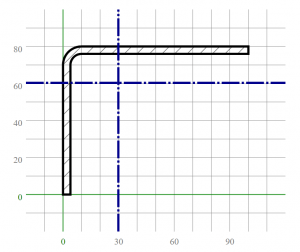
The following profiles can be selected and displayed in the graphic:
C-Profile
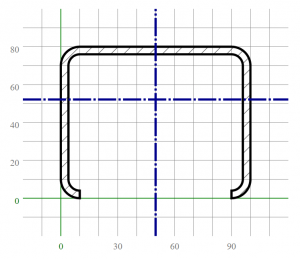
U-Profile

L-Profile
S-Profile

2xU-Profile

SZ_Profile

RECT-Profile (full)

RECT-Profile (hollow)
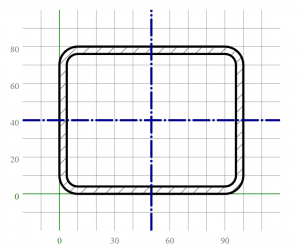
Note: Depending on the dimensions, the profiles may of course look different.